
X-Mouse Button Control (XMBC) is a free tool for Windows that allows you to re-configure and remap mouse buttons to expand the capabilities of your mouse.
Download:
|
Latest version Portable version |
mirror mirror |
[ Whats new? | | Language Packs | | Awards ] | ||
|
Please be aware that X-Mouse Button Control is a hobby project. It is not affiliated with any mouse or trackball device manufacturer. |
||||||
Overview:
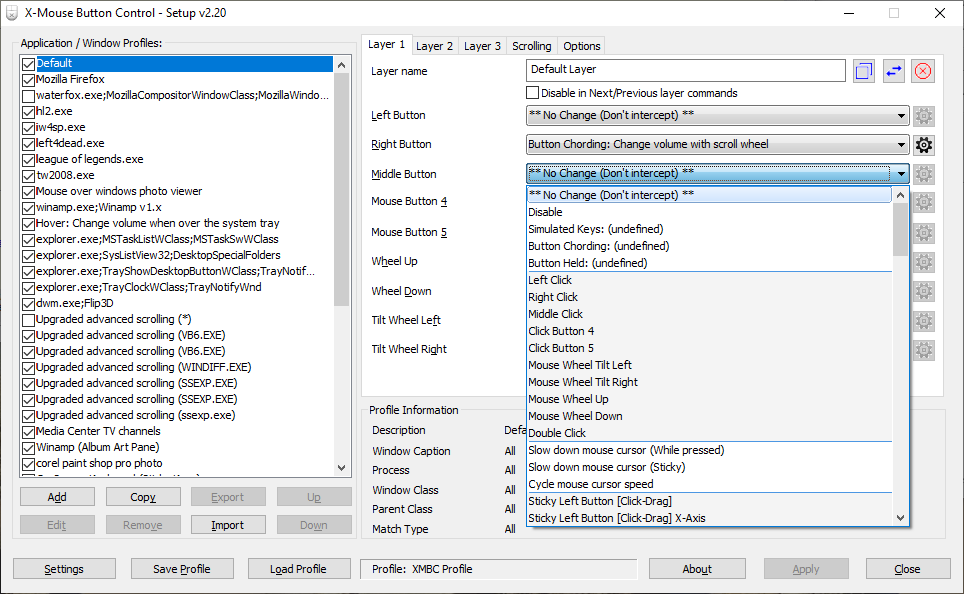
X-Mouse Button Control (XMBC) allows you to create application and window specific profiles. This in turn, allows you to re-configure your mouse behaviour for individual applications or windows. For each profile you can also configure up to 10 'layers' of different button configurations which you can switch between using hot-keys or mouse buttons.
By default, profiles are automatically activated as the mouse moves over the defined application, window or region.
This has many uses, for example:
- Changing the behaviour of the mouse over certain windows, such as making the mouse wheel change volume when hovering over the system tray or you-tube video.
- In games/programs which do not natively support the extended, 4th and 5th mouse buttons, you can map keys to each button.
XMBC allows you to change the behaviour of the mouse buttons and scroll/tilt wheel. The extensive list of functions available to map to your mouse buttons includes options such as:
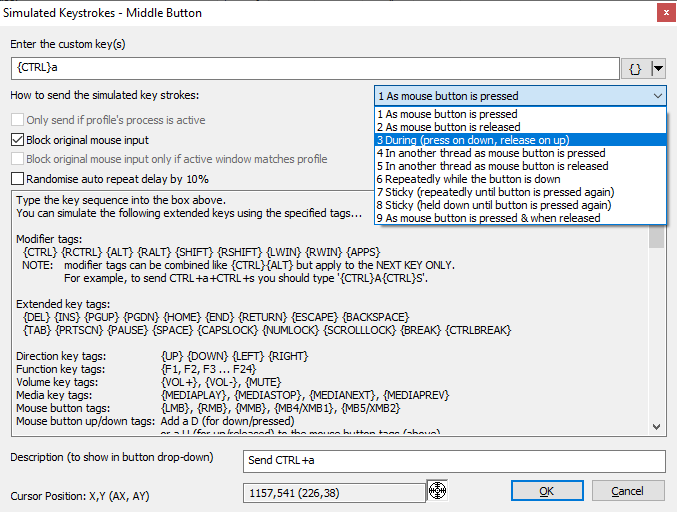
- Send any keys using the 'simulated keystrokes' editor
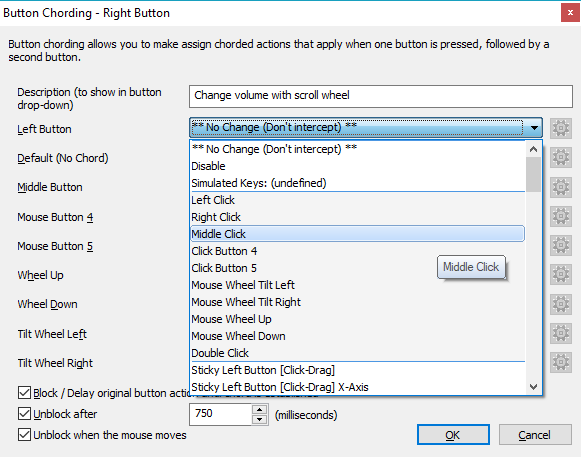
- Button Cording (shifting/combining) buttons perform different actions
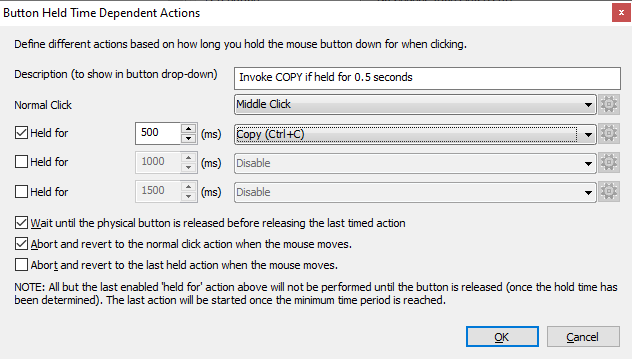
- Timed button actions, that change depending how long you hold a button down for
- Launch any windows application
- Clipboard control (Copy/Cut/Paste)
- Media control (Play/Pause/Stop/Volume/Mute etc.)
- Capture screen (or active window) image to clipboard
- Click-Drag [Sticky buttons/keys]
- Various support for specific Windows operating systems features, such as Flip3D in Vista, ModernUI/Metro in Windows 8 and Virtual Desktops in Windows 10/11!
- And much, much more!
For more information about using and configuring X-Mouse Button Control, please check out the user guide (mirror).
There is also a German and Russian version of the user guide (note that they may not be completely up to date with the English version as they are provided by friendly users!).X-Mouse Button Control currently supports Windows 10 & 11 as well as Windows Server 2012 R2, 2016, 2019 & 2022 (GUI versions).
NOTE: X-Mouse Button Control should also work on older (unsupported) versions of Windows such as XP, Vista, 7, 8, Server 2003-2012 but if there are any issues its time you upgrade your Windows installation!
X-Mouse Button Control was originally designed to run natively on x64 editions of Windows but it is fully supported on 32bit editions too!
The installation determines what version is required (x64 or x86) automatically during installation.
Donations:

Over the first weekend of October 2025, I and two friends will once again be taking part in the 29th Club Triumph Round Britain Reliability Run. The event involves a 2000 mile drive around Great Britain in a classic Triumph car, all in 48 hours, pretty much non-stop except for food/fuel breaks! We are again taking Andy's rather special Stag saloon, a car that is older than me (and probably in better condition)!
This year, the chosen charity is Parkinsons's UK so perhaps, instead of donating directly to XMBC, you could sponsor us instead.
Two years ago, XMBC users made a big difference to our fundraising so be sure to leave a comment mentioning XMBC so we can see how many donations are as a result of generous XMBC users.

Please note that donations are just that. They are not intended to be used to persuade me to add new features or provide extra support - I do as much as I can for free and don't expect donations (although they are appreciated). You can donate with PayPal using the donate button.
You can also donate using Bitcoin using the button below:
Please do not contact me with any requests or offers to partner with XMBC or to monetise XMBC.
XMBC is free, XMBC is a hobby and XMBC will never contain any bundled rubbish or installer of other software.
Installation/Upgrade Information:
The installer will automatically close an existing instance of XMBC so you do not need to close or uninstall an old version before installing the latest.
X-Mouse Button Control is configured to run automatically when you log on to Windows.
This can be changed using MSConfig or the start-up tab in Task Manager on Windows 8 or later.
Requirements:
-
A mouse that supports up to 5 buttons.
NOTE: If your mouse has 5 buttons but the 4th and 5th buttons don't do anything in by default - then XMBC may not be for you. This software relies on the standard mouse driver to send the default 4th and 5th mouse button messages which usually default to BACK/NEXT in browsers and other programs. Having said that you can still remap the standard 2 or 3 buttons and scroll wheel.
NOTE: XMBC only supports up to 5 mouse buttons because it relies on, and intercepts, the Windows mouse message queue which also only supports 5 buttons.
-
A compatible version of Microsoft Windows.
X-Mouse Button Control supports all 32bit (x86) and 64bit (x64) editions of Windows from Windows XP to Windows 11, including Windows Server editions!
FAQ:
- I have moved all the FAQ's to the forum to keep things consistent. Please take a look at this thread
-
If your question is not answered in the
FAQ,
please take a look through the forums and see if your question
has been asked there.
If not, sign up and ask away! -
Please be aware that I have had many requests for XMouse but unfortunately I have also have far
less time these days to work on it.
I am primarily focusing on bugs that stop current functionality working rather than adding new functionality.
Screenshots (Click to enlarge)
-
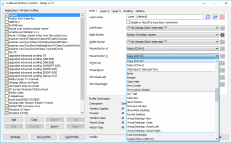
Main Window
-
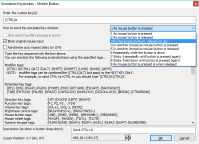
Simulated Input
-
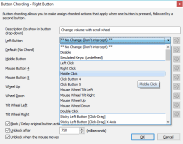
Button Chording
-
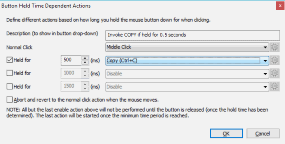
Button Held (Time Dependent Actions)
-
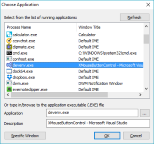
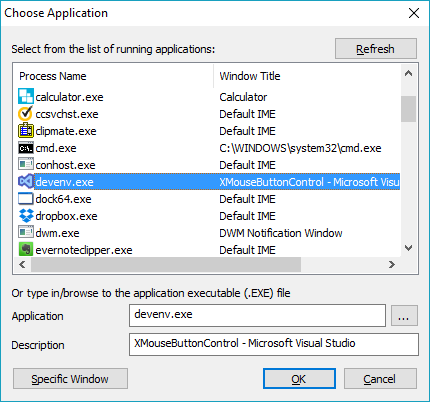
Application Chooser
-
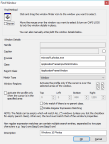
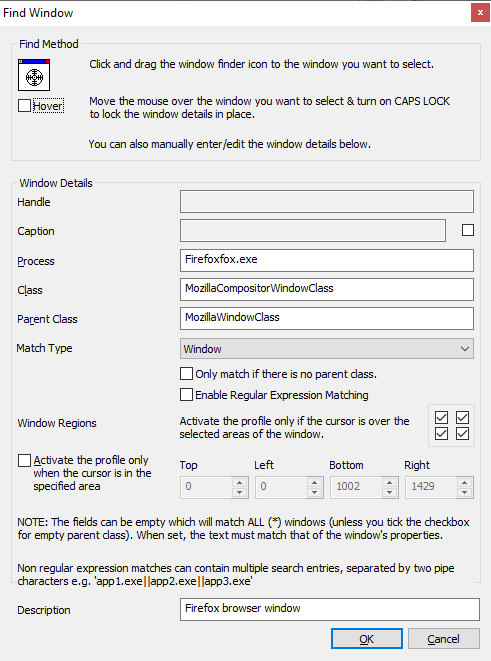
Window Finder
-
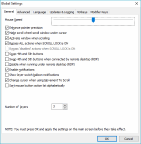
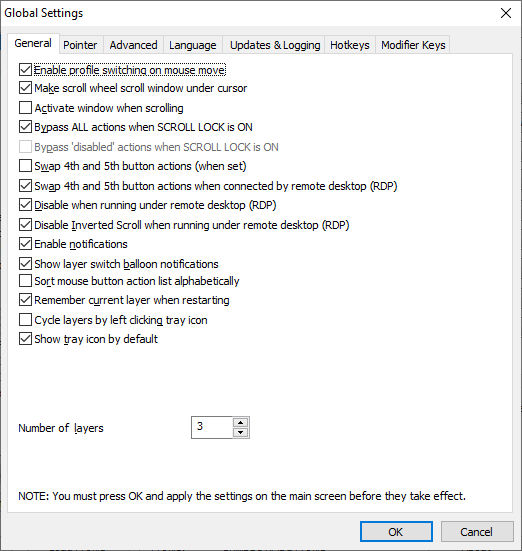
Settings Tab
Contact:
Contact me if you have any questions/queries.
Preferably, sign up and discuss any problems in the Highrez Support Forums
You can also try my new Discord server
Alternatively you can try emailing me atbut PLEASE be aware that my anti-spam is quite aggressive so if you don't get a reply maybe the message got binned!
Once again, please do not contact me with any requests or offers to partner with XMBC or to monetise XMBC!
Disclaimer & License:
The license, included with X-Mouse Button Control, displayed during installation (or inside the portable zip files) states:
X-Mouse Button Control is FREE for anyone to install and use. If you have paid for this software, please request a refund from the person or organization that you paid!
THE SOFTWARE IS PROVIDED "AS IS", WITHOUT WARRANTY OF ANY KIND, EXPRESS OR IMPLIED, INCLUDING BUT NOT LIMITED TO THE WARRANTIES OF MERCHANTABILITY, FITNESS FOR A PARTICULAR PURPOSE AND NONINFRINGEMENT. IN NO EVENT SHALL THE AUTHORS OR COPYRIGHT HOLDERS BE LIABLE FOR ANY CLAIM, DAMAGES OR OTHER LIABILITY, WHETHER IN AN ACTION OF CONTRACT, TORT OR OTHERWISE, ARISING FROM, OUT OF OR IN CONNECTION WITH THE SOFTWARE OR THE USE OR OTHER DEALINGS IN THE SOFTWARE.
It also lists the open source components used by XMBC aloung with their terms and conditions.
See the license file for the full detail.Please note that whilst I, the author, actively runs and tests this software on several machines and different versions of windows, no warranty or guarantee on the performance of the software or that this software is free from bugs, is provided. Neither the author nor anyone else involved in the production, testing or delivery of this software shall be liable for any damages of any type.
All downloads are checked for known viruses at the time of publishing.